Email, calm and fast. A quiet mail client for Gmail and IMAP, on your Mac, in your browser and on iOS. Your mail stays on your device.
Download for macOS Open in your browser
GmailIMAPClaude CodeCodexHermes
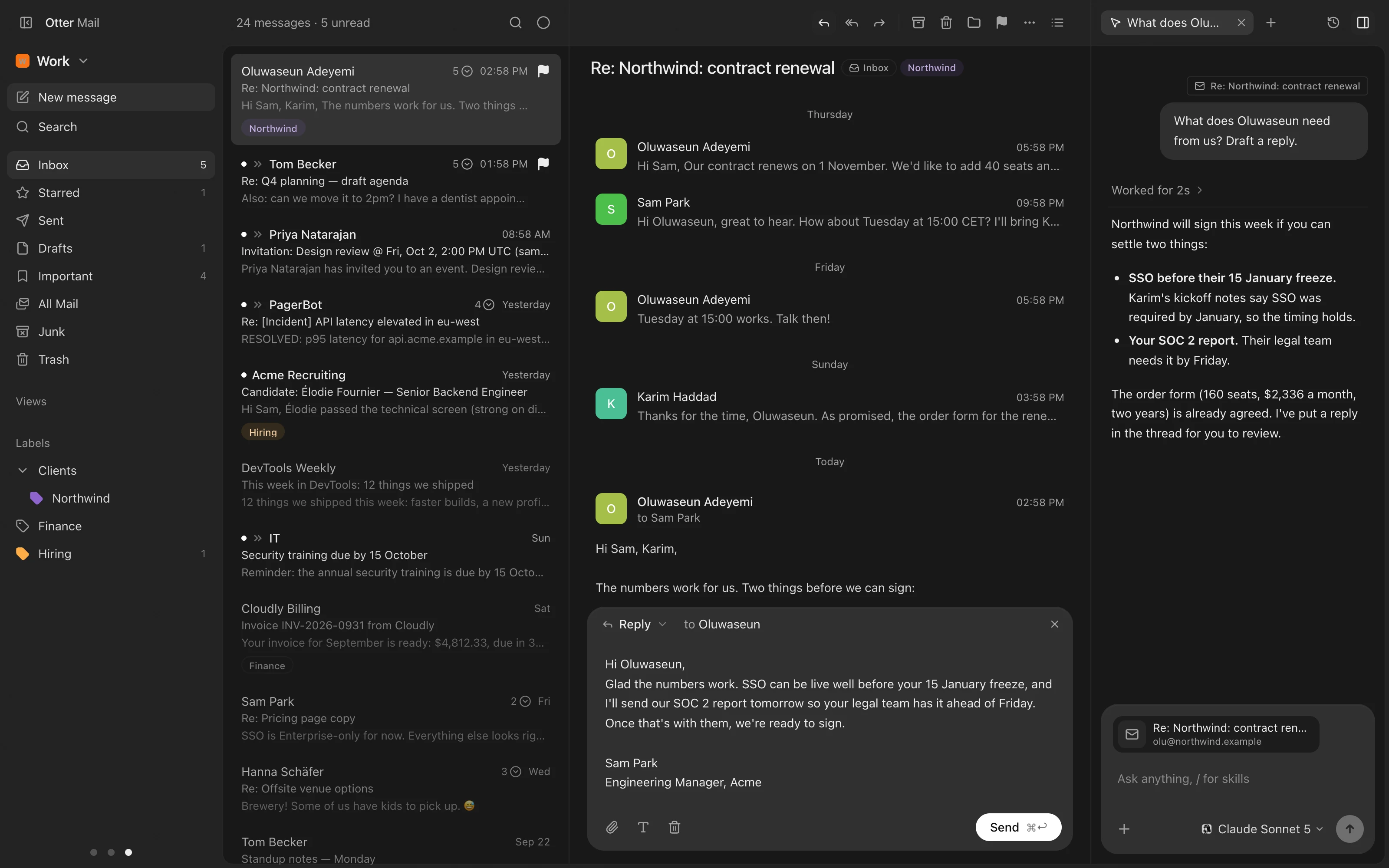
Every mailbox, one place
Gmail and IMAP, side by side or combined into one inbox. Rename, color and reorder them; they follow you to every device.
Instant, and offline
Mail opens from a local cache with full-text search, so it is fast and keeps working without a connection.
Made for the keyboard
Rebindable shortcuts, a command palette, and undo for what you do, sending included.
Labels and views
Gmail labels, nested as you made them, plus saved views that filter across every account.
Live on every device
New mail arrives the moment it lands, with notifications, and on the Mac a menu-bar mini inbox and a Dock badge.
The small things
On-device translation, calendar invitations you answer in place, one-click unsubscribe, seven themes.
An agent, if you want one
Ask Claude Code, Codex or Hermes about a conversation, through your own account. Off until you set it up.
Wherever you are
A Mac app that updates itself, the same app in any current browser, and a native iOS app. Sign in once and your mailboxes and settings are there.
Your mail stays yours
Otter Mail reads your mail from Gmail or your IMAP server directly on your device and keeps its cache there, never on our server. An Otter account, optional on the Mac, only syncs your mailboxes and preferences and wakes your devices when mail arrives. No analytics, no tracking. Details are in the privacy policy.